

Practical AI Automation Tips for Small Businesses
Photo by Kampus Production on Pexels
This post may contain affiliate links. For more information, please see our disclosure here.
Small businesses today face constant pressure to do more with less. Rising labor costs, operational inefficiencies, and intense competition make it hard to keep up. AI automation offers a way forward, but only when it is practical and grounded in tools your team already uses. This is the difference between a flashy demo and a workflow that actually works on a Tuesday morning.
Strike Streamlining acts as your hands-on digital mechanics, turning AI promises into real, reliable automation. We focus on AI features inside Google Workspace, Microsoft 365, and Zapier, platforms already trusted by millions. No hype. No theoretical projects. Just workflows that save time, reduce errors, and let your team focus on what matters.
What Is Practical AI Automation?
Practical AI automation means using artificial intelligence to handle repetitive tasks, improve workflow coordination, and enable smarter decision-making, all without forcing your business to adopt completely new systems. From automating repetitive tasks to enabling smarter decision-making, AI automation empowers businesses to scale faster, cut operational costs, and work smarter.
For small businesses, this translates into real gains. You can automate everything from transcribing calls and managing calendars to sorting emails and processing data entry. The goal is not to replace people, but to free them from monotonous work so they can contribute more strategically.
AI Features Inside Tools You Already Use
The most effective path to AI automation starts with the software your team already opens every day. Google Workspace, Microsoft 365, and Zapier have built-in AI capabilities that can be configured to match your specific processes.
Google Workspace with Gemini
Google Workspace brings AI directly into the tools your team uses for email, documents, and meetings. Gemini, the AI assistant integrated into Workspace, can help you organize receipts, get insights into how your business is performing, and create compelling blog posts. These features are not separate add-ons; they live inside Gmail, Google Docs, Google Sheets, and Google Meet.
Strike Streamlining configures these AI tools to fit your operational workflows. Instead of learning a new app, your team uses the same interface with smarter assistance that understands your business context.
Zapier AI Steps
Zapier is already popular for connecting apps without code. Its AI steps take automation further by adding intelligent decision-making to your workflows. For example, you can build a Zap that automatically categorizes incoming leads, drafts a personalized response, and adds the contact to your CRM, all driven by AI that learns from your data.
Platforms like Zapier, Make, and n8n are among the best AI tools for small business automation because they fit existing operational constraints instead of adding disconnected automations. Strike Streamlining designs these workflows so they run reliably every day, not just during a demo.
Microsoft Copilot
Microsoft Copilot brings AI into Word, Excel, Outlook, Teams, and other Microsoft 365 apps. Your team can draft emails, summarize meetings, analyze spreadsheets, and create presentations with natural language commands. The AI understands your data and works within your existing security and compliance boundaries.
Strike Streamlining optimizes Microsoft 365 to ensure Copilot integrates smoothly with your business processes. We build systems that reduce paperwork, improve delegation, and eliminate digital friction.

Photo by Tima Miroshnichenko on Pexels
How Small Businesses Are Using AI Automation Today
Real businesses are already applying AI automation to achieve results. Here are practical ways small companies are using these tools to compete with larger organizations:
- Streamline customer service. AI chatbots and smart email routing handle common questions, freeing your team for complex issues.
- Personalize customer experiences. AI analyzes past interactions to recommend products, tailor messages, and send timely follow-ups.
- Automate data entry and document processing. Extract information from invoices, receipts, and forms without manual typing.
- Manage calendars and scheduling. AI assistants find meeting times, send reminders, and reschedule when conflicts arise.
- Sort and prioritize emails. Automatically categorize incoming messages, flag urgent ones, and archive low-priority correspondence.
- Generate reports and insights. Have AI summarize sales data, track KPIs, and deliver daily briefings directly to your inbox.
These applications are not reserved for enterprises with big budgets. Small teams are harnessing the power of AI to automate processes, enhance customer experiences, and improve internal operations. The key is selecting the right tools and configuring them for your specific workflow.

Photo by Tara Winstead on Pexels
The Strike Streamlining Difference: AI That Works on a Tuesday Morning
Many AI solutions look impressive in a demo but fail in daily use. They require constant tweaking, generate unreliable outputs, or don’t integrate well with existing systems. Strike Streamlining takes a different approach. We are digital mechanics who build scalable systems that actually function in the real world.
We start with a thorough understanding of your current operations. Through workflow diagnostics and process audits, we identify where digital friction is costing you time and money. Then we design automation that leverages the AI capabilities already available in your Google Workspace, Microsoft 365, and Zapier environments.
Our work includes system design for delegation and team efficiency, communication streamlining for Google Meet and email, and complete document digitization to move your office toward paperless operation. The result is a set of automated workflows that your team trusts and uses every day.
Getting Started with Practical AI Automation
You don’t need to overhaul your entire technology stack to benefit from AI automation. Start by identifying the most repetitive and error-prone tasks in your daily operations. These are the best candidates for automation.
A free business process audit is a smart first step. It helps you see exactly where your workflows break down and which tasks are ripe for AI assistance. Strike Streamlining offers this diagnostic service to small businesses, schools, and special districts, helping you map out a realistic automation path.
Once you have a clear picture, we configure the AI features within your existing tools. No new subscriptions. No complicated migrations. Just smarter ways to work with the platforms you already rely on.
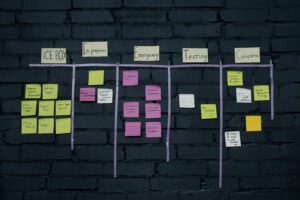
Photo by cottonbro studio on Pexels
Frequently Asked Questions
What is the best AI automation tool for a small business?
The best tool fits your operational constraints rather than adding disconnected automations. Popular platforms include Zapier, Make, n8n, and the AI integrations inside Google Workspace and Microsoft 365. Strike Streamlining helps you choose and configure the right combination for your specific workflows.
How much time can AI automation save a small business?
Time savings vary by business, but automating repetitive tasks like data entry, email sorting, and calendar management can free several hours per week per employee. The real benefit is improved accuracy and the ability to redirect focus to higher-value work that drives growth.
Do I need technical skills to implement AI automation?
Many tools are designed to be user-friendly, but professional configuration ensures your automation works reliably. Strike Streamlining handles the technical setup and ongoing optimization, so your team can focus on running the business, not managing the technology.
Practical AI automation is not a futuristic concept. It is available today inside the tools your business already uses. With the right configuration and expertise, you can reduce manual work, cut operational costs, and give your team the space to focus on what really matters. Strike Streamlining is here to make that happen, one reliable workflow at a time.
Strike Streamlining is an Official Zapier Silver Solution Partner and Google Certified team with deep expertise across Google Workspace and Microsoft 365. We architect custom automation engines for small businesses and special districts, with proud associate memberships in CSDA, SDAO, and WASWD.