

AI Automation vs. Traditional Automation: What’s the Difference?
Photo by Jakub Zerdzicki on Pexels
This post may contain affiliate links. For more information, please see our disclosure here.
Organizations today face a choice between two approaches to streamline their operations: traditional automation and AI workflow automation. While both can save time and reduce manual effort, they serve fundamentally different purposes. Traditional automation excels at handling repetitive, rule-based tasks with precision, while AI workflow automation brings adaptability and intelligence to complex knowledge work. Understanding the differences between these two approaches is essential for choosing the right tool for each process.
What Is Traditional Automation?
Traditional automation relies on predefined rules and triggers to execute tasks. It follows a deterministic logic: if a specific condition is met, a specific action occurs. This approach is best suited for repetitive, structured tasks such as data entry, invoice routing, simple approvals, and notifications. For example, an automated workflow might move a new form submission into a spreadsheet and send a confirmation email. Traditional automation expects structured input data from forms, rows, events, or other fixed fields. The output typically involves moving data between systems, sending alerts, or updating records.
Because traditional automation runs on fixed rules, it is highly reliable and auditable. This makes it a strong choice for finance, compliance, and security workflows where exact behavior must be repeatable and easy to verify. Software developers frequently use traditional automation to run tests triggered by code commits. The setup process requires building triggers, rules, and actions manually, which can be time-consuming but results in predictable performance.
What Is AI Workflow Automation?
AI workflow automation uses machine learning and natural language processing to learn from data, adapt to new situations, and make decisions autonomously. Instead of following a fixed set of rules, AI workflows can analyze unstructured information such as emails, PDFs, meeting notes, and documents. They reason over context and can handle variations in input without manual reprogramming. For instance, an AI workflow can be trained to detect duplicate invoices or flag fraudulent activity in accounts payable processes by learning patterns from historical data.
AI workflow automation is best suited for recurring knowledge work that varies each time. Common use cases include lead research, meeting preparation, weekly report drafting, and document review. The output from an AI workflow often includes reports, briefs, spreadsheets, or drafts rather than simple data transfers. Setting up an AI workflow can be as simple as describing the desired process in natural language, and adjustments can be made similarly without requiring deep technical knowledge.
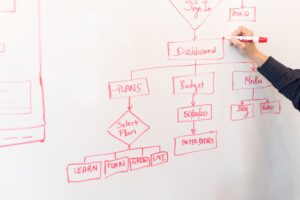
Photo by Christina Morillo on Pexels
Key Differences Between AI and Traditional Automation
The table below summarizes the main differences across several dimensions important for decision-making.
| Dimension | Traditional Automation | AI Workflow Automation |
| Learning & Adaptability | Follows fixed rules; requires manual reprogramming to change behavior. | Learns from data and adapts over time without manual intervention. |
| Decision Making | Relies on predefined conditions; cannot handle unexpected situations. | Uses machine learning to analyze data and make autonomous decisions. |
| Scalability & Cost Efficiency | Often needs significant hardware or software investments to scale. | Scales easily without proportional cost increases. |
| Input Types | Structured data (forms, rows, events). | Unstructured data (emails, PDFs, meeting notes, documents). |
| Output Types | Data moves, notifications, status updates. | Reports, briefs, spreadsheets, drafts. |
| Setup & Configuration | Build triggers, rules, and actions manually. | Describe process in natural language; adjust similarly. |
| Risk & Reliability | Deterministic and auditable; ideal for compliance. | Variable results; needs human oversight for sensitive decisions. |
| Best Use Cases | High-volume, predictable tasks (data sync, invoice routing, notifications). | Knowledge work that varies each time (lead research, meeting prep, report drafting). |
When to Use Traditional Automation vs AI Workflow Automation
Choosing the right approach depends on the nature of the task. Traditional automation is the better choice for processes that follow clear, unchanging rules and require absolute consistency. Finance departments, for example, can rely on traditional automation for invoice routing and compliance checks because the logic is straightforward and must be auditable. Similarly, routine data synchronization between systems and automated notifications are best handled by traditional automation.
AI workflow automation shines when the work involves judgment, pattern recognition, and unstructured data. If employees spend hours each week researching leads, preparing meeting briefs, or reviewing documents for key information, an AI workflow can handle those tasks more efficiently. The AI learns from previous examples and becomes better over time at identifying relevant patterns. This makes it ideal for departments like sales, marketing, human resources, and operations where the quality of knowledge work directly affects outcomes.
It is important to note that speed and flexibility do not guarantee accuracy. AI workflows still need guardrails and human review, especially when the consequences of an error are high. For sensitive decisions such as employee evaluations or legal document analysis, combining AI workflow automation with human oversight provides the best balance of efficiency and reliability.

Photo by Tara Winstead on Pexels
How AI and Traditional Automation Work Together
Many organizations find that the most effective approach is to combine both types of automation within a single workflow. For example, traditional automation can handle the initial step of receiving and routing an invoice, while an AI workflow can analyze the invoice for anomalies before passing it to a human for approval. This hybrid model leverages the reliability of traditional automation for deterministic steps and the intelligence of AI for tasks that require judgment.
Software developers often use traditional automation for testing triggered by code commits, but they may also employ AI to analyze test results and suggest fixes. In accounts payable, AI can be trained to detect duplicate invoices and fraudulent activity, while traditional automation sends alerts and updates the accounting system. By layering the two approaches, businesses can automate a wider range of processes without sacrificing control or accuracy.

Photo by Ibrahim Boran on Pexels
Real-World Impact: What the Data Shows
The benefits of adopting AI workflow automation are supported by recent studies. A 2023 Fortune study found that less experienced staff worked 35% faster with AI assistance. This suggests that AI can help close skill gaps and accelerate onboarding for new team members. Additionally, a 2023 Statista report found that AI adoption improved cost savings by 20% to 28% across various industries. These numbers indicate that AI workflow automation can deliver meaningful efficiency gains, especially when applied to knowledge work that previously required significant human effort.
Traditional automation also delivers proven results for high-volume, repetitive tasks. By removing manual steps, organizations reduce errors and free up employees to focus on higher-value activities. The key is to match the right type of automation to the right type of work rather than assuming one approach fits all needs.
Frequently Asked Questions
Can AI workflow automation replace traditional automation completely?
No. AI workflow automation is not a replacement for traditional automation. Traditional automation remains essential for deterministic, high-volume processes where exact behavior and auditability are required. AI adds flexibility and intelligence but still depends on structured triggers and rules for certain steps. Most organizations benefit from using both approaches together.
Is AI workflow automation difficult to set up?
Setting up AI workflow automation has become much simpler. Some tools allow you to describe the desired process in natural language, and the system builds the workflow automatically. Adjustments can also be made through conversation rather than coding. However, initial training data and guardrails are still necessary to ensure reliable results.
What types of tasks are best suited for AI workflow automation?
AI workflow automation is ideal for recurring knowledge work that involves judgment, pattern recognition, and unstructured data. Common examples include lead research, meeting preparation, drafting weekly reports, reviewing documents, and detecting anomalies in accounts payable. Tasks that vary each time and require reading or reasoning are strong candidates.
How do I know if my organization is ready for AI workflow automation?
Start by identifying processes that are currently manual, time-consuming, and involve unstructured data such as emails, PDFs, or notes. If employees spend significant time on repetitive research, drafting, or review tasks, those are prime candidates. A workflow audit can help pinpoint opportunities where AI automation would provide the most value.
Does AI workflow automation require special technical skills to maintain?
Many modern AI workflow tools are designed for business users without deep technical backgrounds. They offer natural language interfaces and pre-built templates. However, ongoing maintenance may require periodic review of outputs and retraining the AI model as processes evolve. Partnering with experts in workflow automation can ease this burden.
Choosing between AI workflow automation and traditional automation is not an either-or decision. The most effective operational strategies use both approaches where they fit best. Traditional automation handles predictable, high-volume tasks reliably, while AI automation brings adaptability and intelligence to complex knowledge work. By understanding the strengths and limitations of each, organizations can build scalable systems that reduce friction, improve delegation, and free up people to focus on work that truly requires human judgment.
Strike Streamlining is an Official Zapier Silver Solution Partner and Google Certified team with deep expertise across Google Workspace and Microsoft 365. We architect custom automation engines for small businesses and special districts, with proud associate memberships in CSDA, SDAO, and WASWD.